

Choose your path
- Use Inbox to work with conversations in the Hub. You do not need an API key or webhook to use Inbox.
- Integrate the API to prepare your application. This adds test API access and an application/webhook draft to the checklist.
Add your company
Enter your company name, website and workspace type, then select Save and continue. Your personal phone number and email tips are optional. Review the communication choices next to those fields before saving. A saved company profile lets you open your workspace. To create an RCS test sender immediately, select the separate test-sender choice. To invite your own phone and explore the demo, also give the explicit RCS test permission. Email and RCS marketing permissions remain separate and optional. Smerio prepares a provisional sender from your website and requests a testing invitation for your consented phone. Accept it in Messages. A welcome menu can then arrive once the connection and account sending access are ready. Website test senders cannot launch to production. If creation needs attention, your company remains saved and you can continue from Channels → RCS. You can skip sender creation and return later. A saved sender opens through Open your RCS test sender.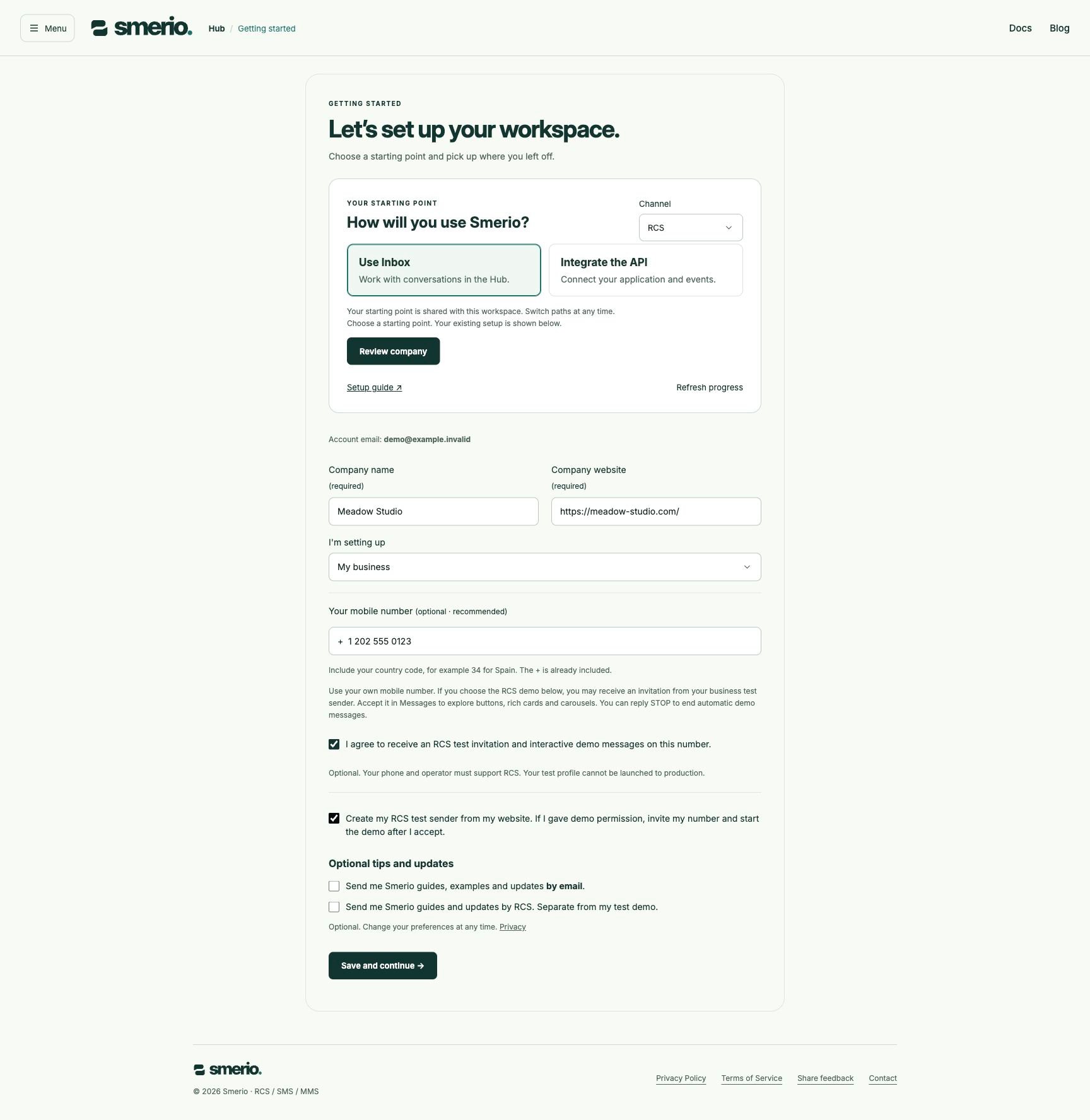
Prepare a channel
For RCS, open Channels → RCS to register the brand, select test devices and review destination requirements. For SMS & MMS, open the shared number setup to choose your own number or a Smerio-provided number and save your preferences. Draft saved means the information is stored. It does not buy, reserve or connect a number, submit a sender for approval or activate replies. Channel activation is separate from saving setup.API access
The API path shows whether the workspace has an unexpired, non-revoked test key. Test key issued does not verify that your application uses the right scopes or sends successfully. Administrators can create, review and revoke scoped test keys in Menu → API access. InspectPOST /api/management/keys in the current API contract. It requires a human administrator session. Keep secrets outside screenshots, source control and support messages.
Save the application name and webhook preferences in Workspace settings. Draft saved confirms storage only: webhook delivery is not connected. Use channel plans to prepare rich messages and explicit fallback content.
Explore a conversation
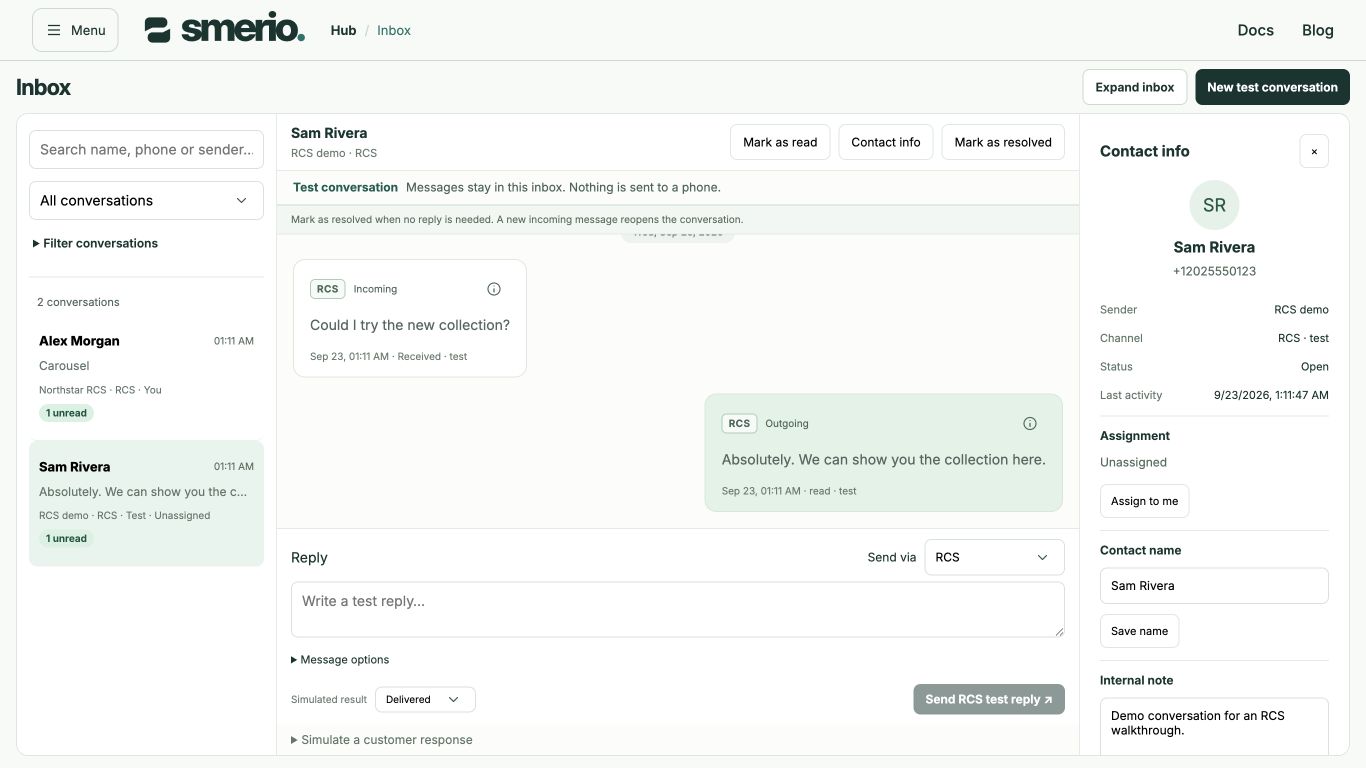
Open Inbox to inspect messages, contact details and delivery history. New test conversation creates a clearly marked example. Only test conversations offer generated incoming replies and simulated delivery outcomes. Inbox example completed records a saved example; it does not indicate phone delivery or activate a sender. Real RCS demo replies appear in Inbox separately from simulated examples. Invitation acceptance, queued messages and delivery receipts are distinct states. A queued welcome does not prove delivery to your phone.Onboarding choices on mobile
Onboarding choices on mobile

Resume and review
Return to Getting started or select Refresh progress to read the current saved state. If another session changed your starting point, refresh before trying again. Smerio does not overwrite the newer choice silently. A loading or error message does not mean your existing setup was lost.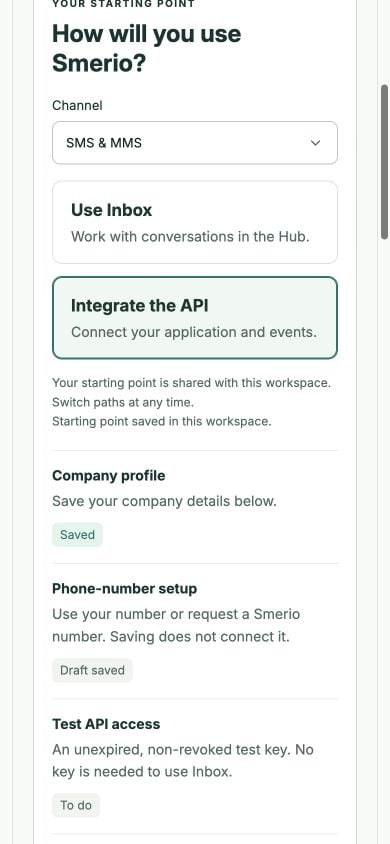
Screenshots show running local software with synthetic data, captured on 23 September and 1 October 2026. They demonstrate the test workflow, not hosted sign-in, real invitations, provider activation or phone delivery. The technical capture manifest is maintained with this guide.
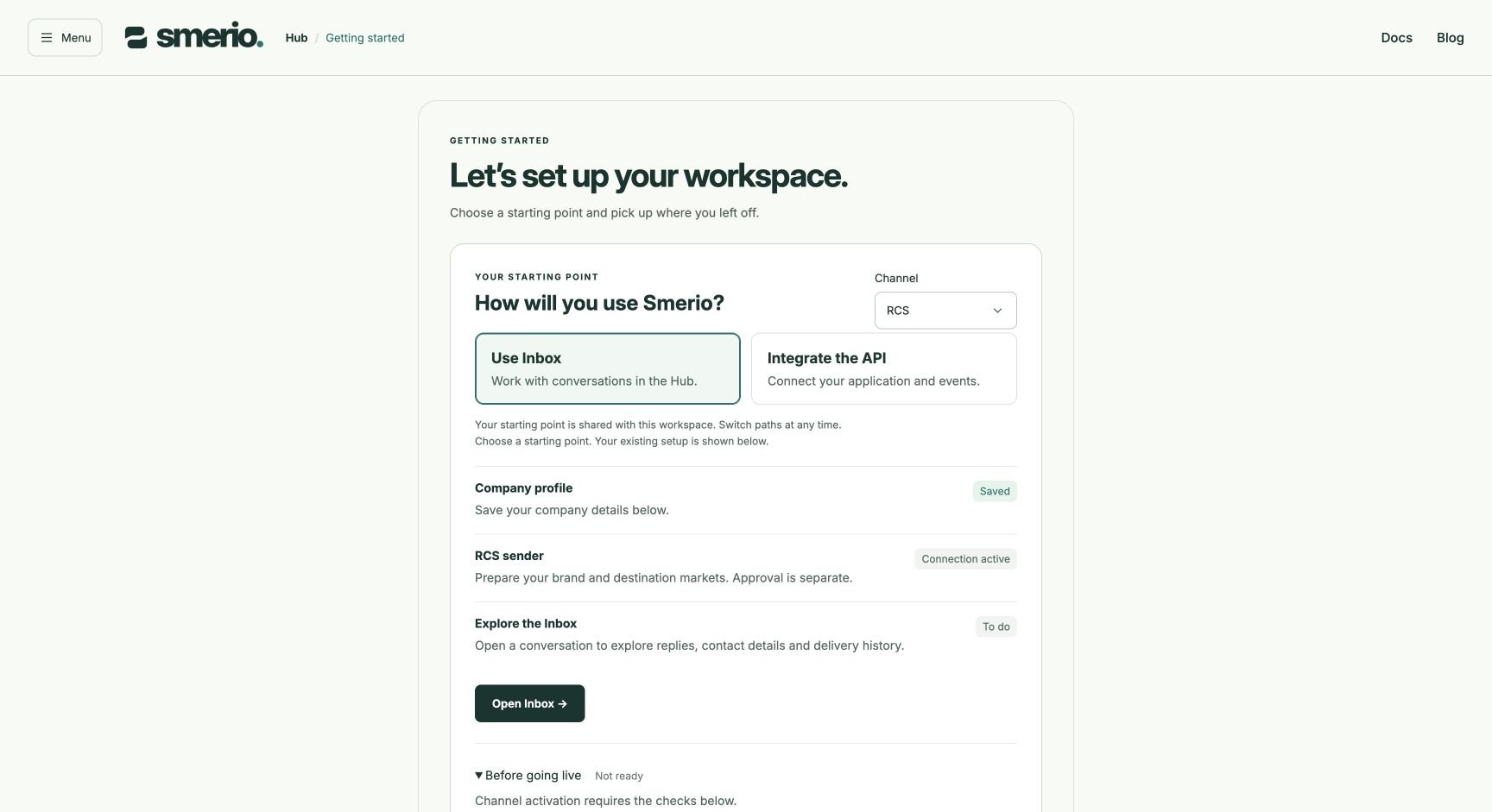
Connected test sender with production requirements still pending, shown with synthetic workspace data.